
Before you start
The marketplace is where streamers find flows other streamers made. Everything listed there is reviewed first, and it always installs paused, so nothing you list can change another channel until that streamer turns it on.
You need:
- a backup sign-in email you have confirmed — see Add a backup sign-in email. Review outcomes and notices about your listings go there;
- the flows you want to share, working on your own channel;
- the right to share every image, sound and video they play.
Set up your creator profile
- On the Flows page, open Your listings.
- Under Become a creator, enter the Creator name other streamers will see, and optionally a line About you.
- Read the creator terms, then tick I accept the creator terms.
- Press Save creator profile.
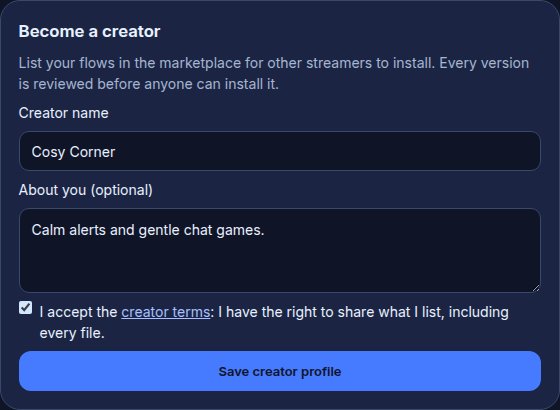
If the creator terms change later, Your listings asks you to accept them again before your next submission. Your listings stay listed meanwhile.
List a bundle
- In Your listings, press List in the marketplace.
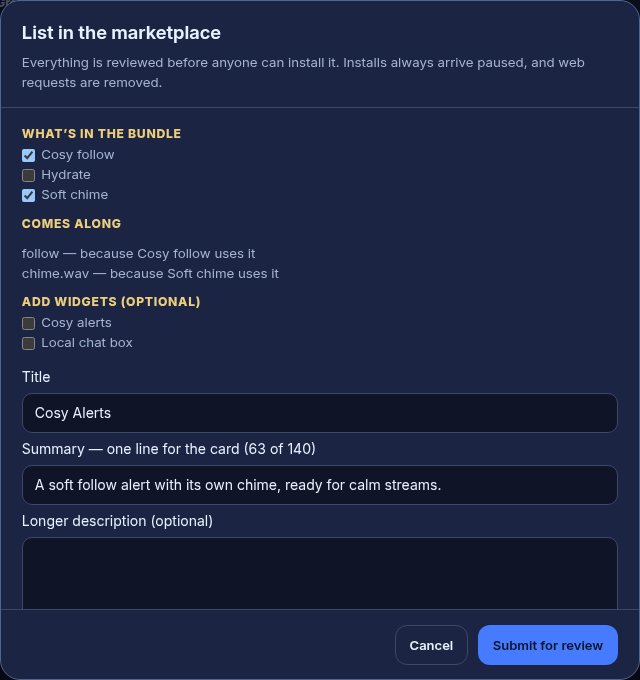
- Under What’s in the bundle, tick the flows to include. Comes along shows everything they need — alert designs, files, variables, rewards, groups — and which flow needs each one; it all comes with them.
- Optionally tick widgets under Add widgets.
- Give it a Title, a one-line Summary for its card, and optionally a Longer description, then pick a Category.
- Choose a Licence — see the two below.
- If it carries files, tick I made these files, or have the right to share them.
- Press Submit for review.
The two licences:
- Remix allowed with credit: other creators may list their own version, naming yours as the original.
- No redistribution: streamers can install it, but nobody else may list a copy or a remix.
For example, a “Cosy Alerts” bundle with a follow flow, its alert design and a soft chime sound becomes one listing; a streamer who installs it gets all three, paused.
While it is in review
Every submission is checked automatically the moment you press Submit for review, then reviewed by a person. The automatic checks send it straight back, with what to fix, when:
- a flow, a variable or an alert design holds something that looks like a password, a key or a private web address — secrets never go in a shared bundle;
- a file is not an image, sound or video the media library accepts, or is over 5 MB;
- a flow is a copy of one in another creator’s listing. If that listing allows remixes, list yours as a remix of it to credit the original; if it does not, make the flow your own or leave it out.

Your listings shows each submission’s place in line — for example “3rd in line · submitted 2h ago”. We aim to decide within a day, and the decision is also emailed to your backup sign-in email.

- Listed means it is in the marketplace.
- Changes requested means it came back with a reason. Press Edit and resubmit once you have fixed it.
- Withdraw takes a submission back out of review.
You can have 3 submissions waiting at once, and submit up to 10 times a day. Review follows Twitch’s Community Guidelines: anything you could not show or say on Twitch is refused.
Share your bundle’s page
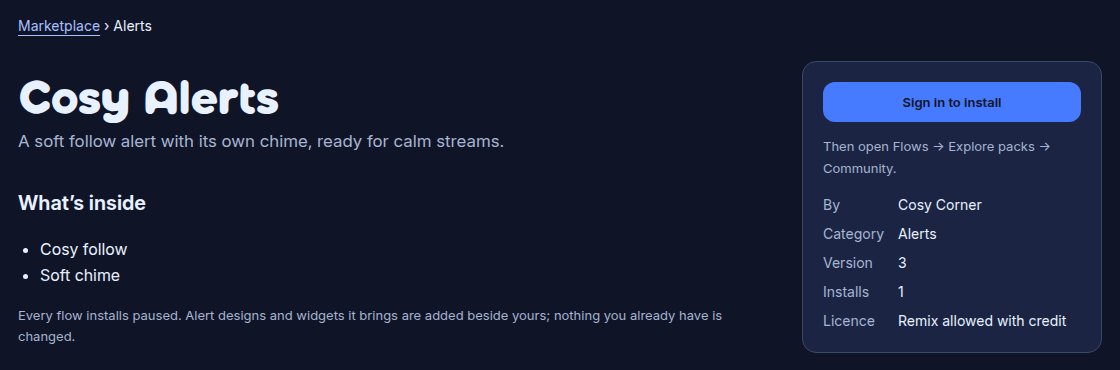
Once your bundle is listed, it has its own page in the public marketplace, at /marketplace followed by a short form of its title — for example /marketplace/cosy-alerts. Anyone can open it without signing in: it shows your summary and description, what is inside, your creator name, the licence and how many channels installed it. Share that link wherever you talk to other streamers. A reader who wants it presses Sign in to install, and installs it from Explore packs → Community.
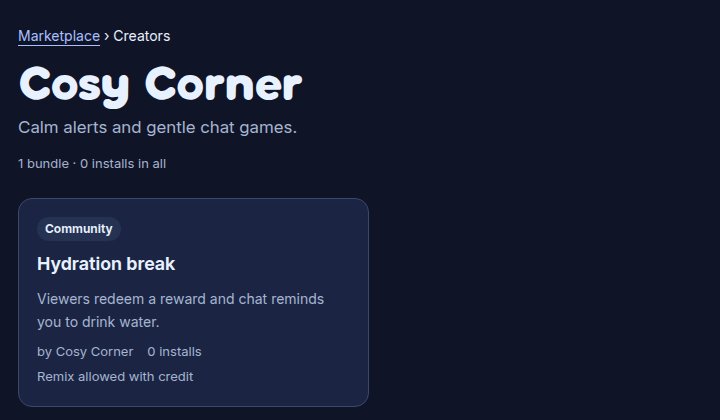
Once something of yours is listed, you also have a creator page at /creators followed by your Twitch login — for example /creators/cosycorner — with your creator name, the line about you, and every bundle you have listed. Each of your bundles links to it.
Streamers who have used your bundle for 3 days can review it, and its rating shows once 3 of them have. You can’t remove a review of your own bundle; if one breaks the rules, report it like anyone else.
The page also has Report this bundle, for anyone who thinks it breaks the rules. If you unlist the bundle, the page says it is no longer listed.
New versions, unlisting and relisting
- New version submits an update to a listed bundle. The listed version stays up — with its title, summary and description — while the new one is in review. Once it is approved, streamers who installed the bundle are offered the update, with What changed in this version beside it. Their untouched flows update in place; any flow they changed stays as they changed it.
- Unlist takes a bundle out of the marketplace. Channels that installed it keep their copies.
- Relist puts an unlisted bundle back, with no new review.
If your bundle is taken down
A bundle that breaks the marketplace rules, or uses someone else’s work, can be taken down. You are told on your dashboard and by email, with the reason. A taken-down bundle leaves the marketplace for good and gets no more updates; channels that installed it keep their copies.
After a copyright claim, the files the claim names are also removed from every channel that installed them, and can’t be listed again. If you believe the claim is wrong, open Your listings, press Send a counter-notice on the bundle, and say why, and that you have the right to share the files. How claims and counter-notices work is set out in the terms.
Troubleshooting
- The Save creator profile button stays greyed out: confirm your backup sign-in email first, then tick the creator terms.
- “This bundle carries files”: tick the rights box, or remove the flow that plays the file.
- “It did not pass the automatic checks”: the list under the listing names each flow or file and what to change. Fix them on your channel, then press Edit and resubmit.
- “It was removed from the marketplace after a copyright claim, so it can’t be listed again”: a file in the bundle was taken down. Replace it with one you made, then submit again.
- List in the marketplace is greyed out: you already have 3 submissions waiting. Wait for a decision, or withdraw one.
Was this guide helpful?
Thanks. Your answer helps us decide which guides to improve.