Build commands as flows you can read
A flow is a trigger, the checks you want and the actions that follow, connected on a canvas in your browser. Start from a ready-made one, then change any step.
New channels can’t join yet. Already using Bloopbot? Sign in.
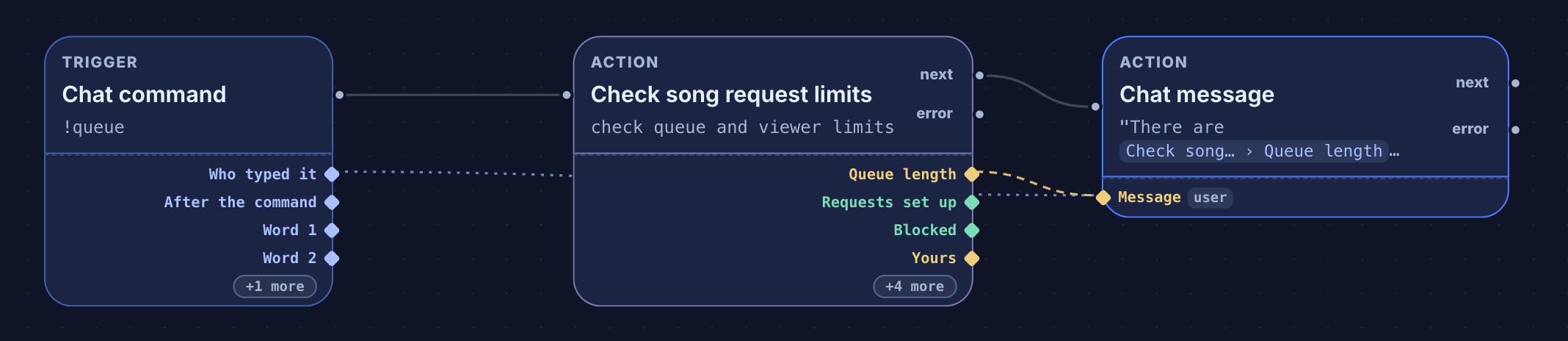

Three parts
| Part | Question it answers | Example |
|---|---|---|
| Trigger | When should this start? | Someone types !hello |
| Check | Should it carry on? | The viewer is a moderator |
| Action | What should happen? | Send a chat message |
A straight line of steps can stay in the Simple form. Switch to Canvas when you want branches, extra checks or loops. Both edit the same flow.
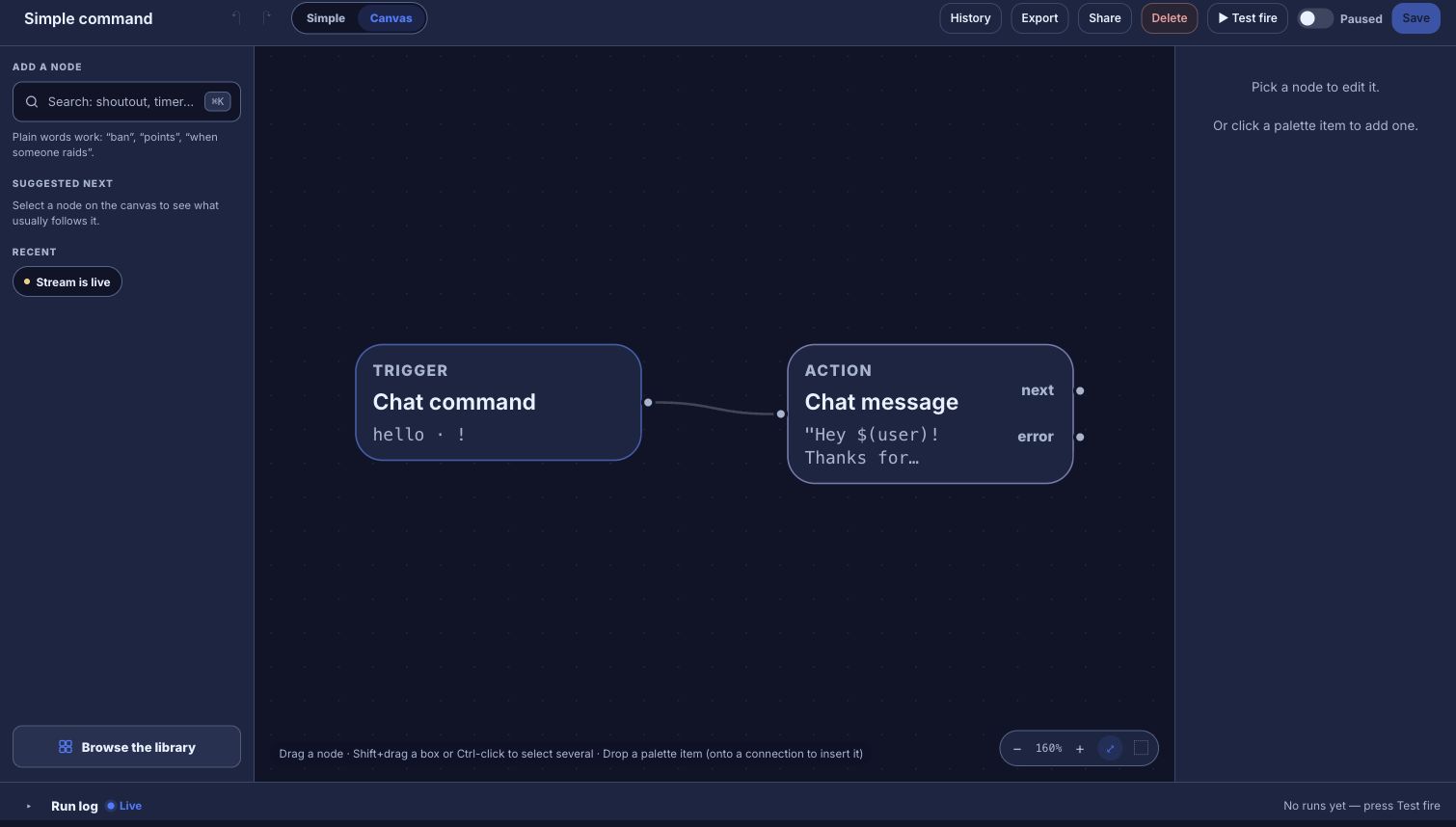
Start from something that works
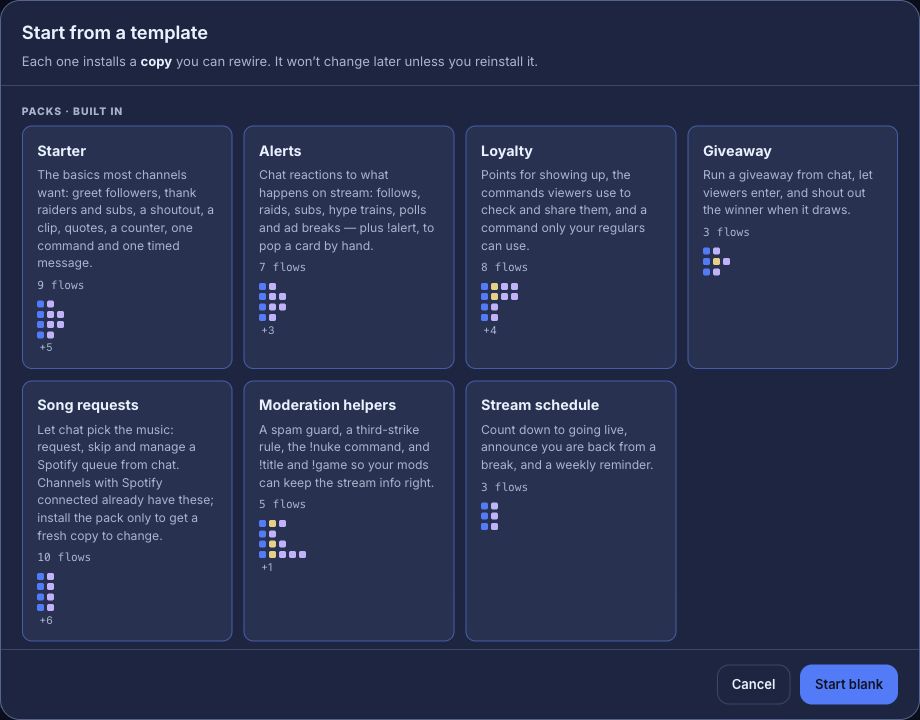
You don’t have to start from a blank canvas. Explore packs has ready-made packs for everyday commands, alerts, moderation, music and more, and every flow you install is your own copy to change. Community packs from other streamers sit there too.
- The Starter pack brings everyday commands and stream reactions, paused until you turn them on.
- + New flow → From another bot brings your Nightbot or StreamElements commands across as flows.
- Describe it turns a sentence into the closest ready-made flow, filled in for you to review. It may not be available on your channel yet.
Grow it one step at a time
- Values travel between steps. Each step hands on what it knows, such as who typed a command or how long the song queue is, and a later step can use it. You can drag a value from one step into another. See connect values with data wires.
- Checks branch. A Who can trigger, Cooldown or Check a value step has a path for yes and a path for no, so mods and viewers can get different answers.
- Loops repeat. For each runs its branch once per item, such as each viewer in a gift of subs.
- Groups tidy up. A few steps you use in several flows become one card; change it once and every flow that uses it follows. See reuse a set of nodes as a group.
- Variables remember. Declare a number or text once on Variables, change it from any flow, and show it in chat or on an overlay. See keep a counter with variables.
Test before it goes live
Press Test fire and the flow runs as a dry run: the Run log shows which steps ran, which check stopped it and which actions would have happened, without posting to chat or changing a real value. A flow that starts on a Twitch event, such as a raid or a poll, test-fires with a realistic example of that event.
When a flow is live, the Run log keeps showing what each real run did, so a command that didn’t answer tells you why.
Where your flows run
Flows run on Bloopbot’s servers, not on your computer. There is nothing to install, you build them in any browser, and your commands and filters keep answering chat when your PC is off. Overlays still show through OBS, as Browser Sources.
Try one flow on your next stream.
Sign in with Twitch, install the Starter pack and change one step.
New channels can’t join yet. Already using Bloopbot? Sign in.