
What you can do
Your viewers can play five games with the loyalty points they earn by watching: !slots, !roulette, !duel, a !heist the whole chat can join, and bets your moderators open with !bets. Type !minigames in chat to see the commands. Each game takes the points it is played for, decides a result nobody can predict, and pays any win straight back to the viewer's balance. A Minigames layer on your overlay plays the game out on stream; chat announces the result after the animation finishes.
The games are flows, so you can read every step and change the rules: the most a viewer may bet, how often they may play, and how much the house keeps.
Before you start
- Loyalty points must be on. Reward your regulars with points shows how to switch them on and how viewers earn them.
- To show the games on stream you need an overlay in OBS. Add an overlay to OBS shows how to add one as a Browser Source.
1. Add the games
- In the dashboard sidebar, open Marketplace and search for Minigames.
- Open Minigames and add the pack. It includes twelve flows, including
!minigameshelp and!betsusage. They are added switched off, so nothing happens until you are ready. If you added the pack earlier, open it again to add missing flows and update any game flows you have not changed. - Open Flows and switch on the games you want, plus List minigames (!minigames) so viewers can find them. Switch on Bet commands (!bets) if you want
!betsto explain moderator usage.
2. Show the games on your overlay
- Open Overlays and open the overlay the games should appear on.
- Press Add on the left and choose Minigames under Goals & games.
- Select the layer and pick Show games as: Corner plays each game as a card in a corner of the screen, several at once, newest on top, and shows a duel waiting for
!accept, a heist taking its crew and an open bet's odds while they run; Takeover plays one full scene at a time, in turn with your alerts, so a game waits behind an alert that is already playing. - Under Games, untick any game this layer should leave alone. In a Corner, set Cards at once (1 to 3) and Keep a result up for, how long a finished card stays before it fades.
- Place and size the layer like any other — Arrange your overlay covers placement — and press Publish.
You can have one of each: a Corner layer for the quick games and a Takeover layer for duels. To see the layer play before anyone does, open Simulate in the top bar and press Test slots, Test roulette, Test duel, Test heist or Test bet. The test only draws on your preview and in OBS; no points move and nothing is said in chat.
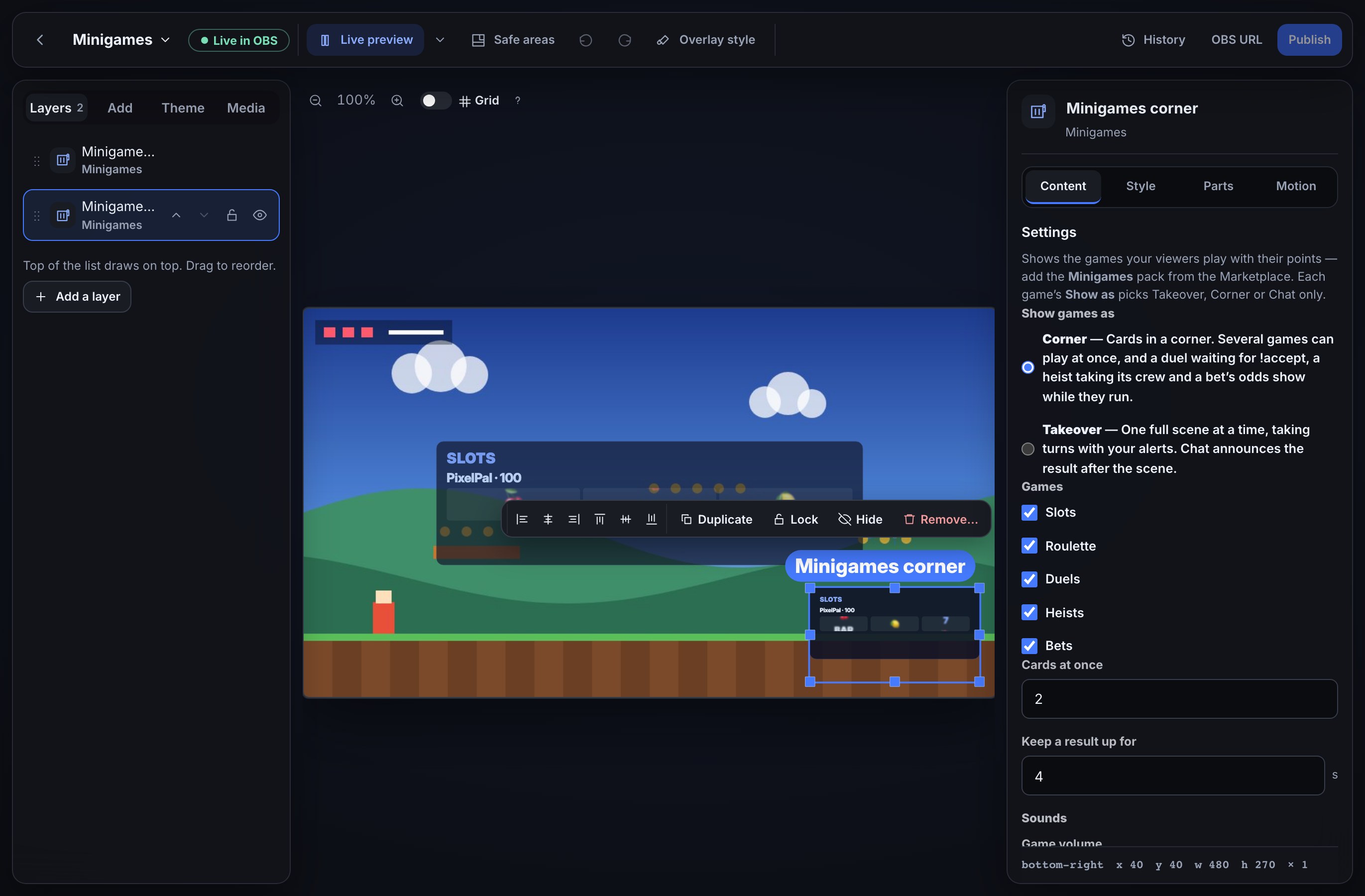
The cards take your overlay theme: the panel colour, the text and accent colours, the corners and the font.
3. Choose where each game shows
Each game flow has a Show as setting on its game step (Pull the slots, Spin roulette, Finish a duel, Resolve the heist and Settle a bet). Challenge to a duel, Start a heist and Open a bet have one too: with Corner or Takeover, the running duel, heist or bet shows on a Corner layer while it waits; with Chat only it shows nothing until it is played.
- Corner (slots, roulette and bets start here) plays on a Minigames layer set to Corner.
- Takeover (duels and heists start here) plays on a Minigames layer set to Takeover, in turn with your alerts.
- Chat only shows nothing on stream.
With Corner or Takeover, the result line waits until the animation finishes, so chat does not reveal the outcome early. A Takeover also waits its turn behind alerts. With Chat only, the result is posted straight away; a Takeover that no overlay can show also posts straight away.
Viewers can type !minigames for the full command list and examples of each command. If they leave out an amount, use an invalid wager or type extra words, the bot replies with the right usage and the 1 to 1,000 point limit. An invalid roulette choice gets the roulette usage instead. A mistaken !bets subcommand gets moderator bet usage; !accept with no waiting duel and !bets close with no open bet also get replies. No points are taken for these commands.
4. Sounds
Every game moment can make a sound on stream: the reels spinning and each reel stopping, a win, a jackpot or a loss, the roulette ball landing, the clash of a duel, a viewer joining a heist, the vault door or the alarm, and bets opening, closing and paying out.
- A Minigames layer you add now comes with a set of sounds made for the games, switched on and a little quieter than a typical alert.
- A Minigames layer you added before sounds arrived stays silent, so your stream never gets louder by itself. Select the layer and press Turn on game sounds under Sounds to switch them on.
To change them:
- Open your overlay and select the Minigames layer.
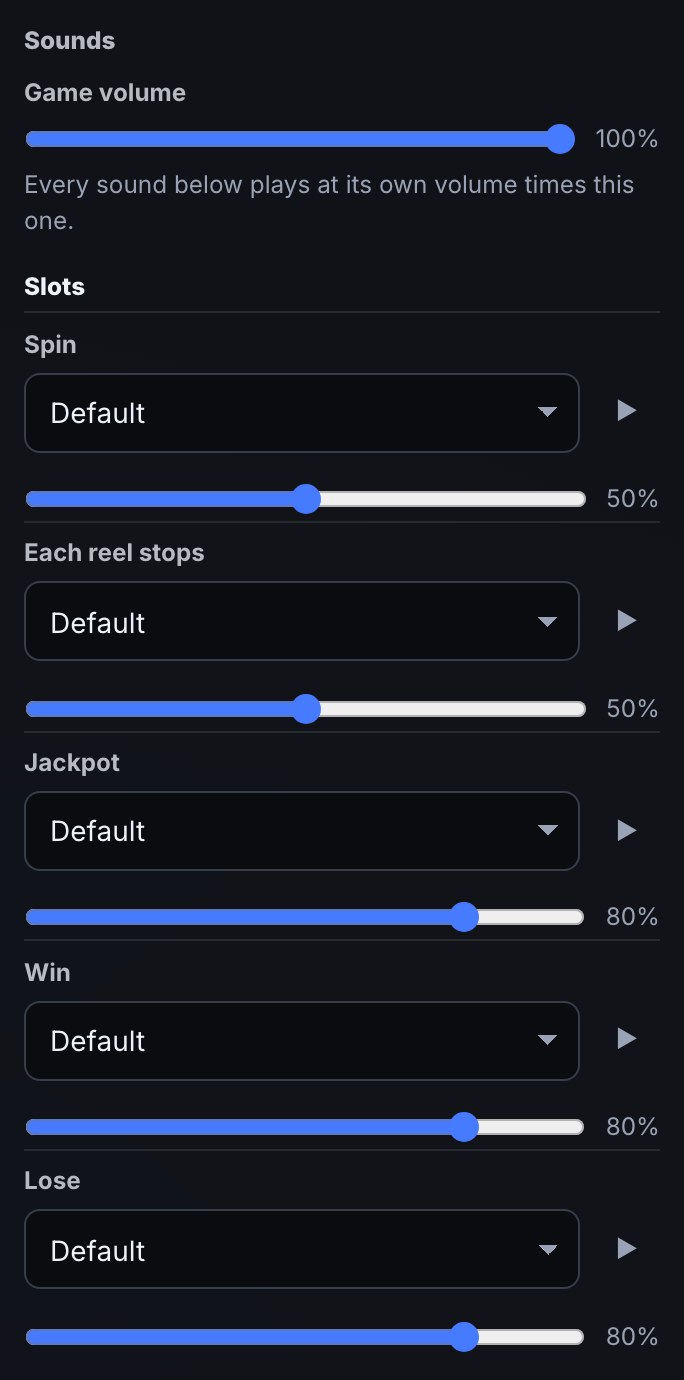
- Under Sounds, set Game volume. It turns every game sound up or down at once.
- Each game lists its moments. For each one, pick a Sound: Default, From library to choose a sound file from your media library, or Off. Its slider sets that sound's own volume, which plays at that volume times Game volume. Press ▶ to hear it.
- Press Publish.
- A win, a loss or a jackpot always plays in full, even when two games finish together. A new spin cuts off a spin that is still playing, and each viewer joining a heist cuts off the blip before.
- A duel's challenge, a heist's crew and bets opening and closing sound on a Corner layer only, where their cards show.
- A game the layer does not show, and a hidden layer, make no sound. With Reduce motion on in the computer's settings, each game shows its result at once and plays only its result sound.
To play a sound whenever you like, add a Play a game sound step to any flow. For example, for a !horn command:
- Start the flow with a Chat command trigger for
horn. - Add a Cooldown step with Per viewer set to 10 seconds, so one viewer cannot fill your stream with horns.
- Add Play a game sound, choose a Sound from your media library (only sound files are listed) and a Volume from 0 to 100.
It plays straight away on every overlay open in OBS that has a visible Minigames layer, always in full, at that volume times the Game volume. When an overlay holds more than one Minigames layer, it plays once, at the highest Game volume among them. At most three of these sounds play at once on an overlay: one more while three are still playing is skipped, not saved for later. A scene that is opened afterwards does not play it. The flow's run log says how many overlays it was sent to, or why it was not sent: no Minigames layer is open, the file is no longer in your media library, or the file isn't a sound.
5. Slots
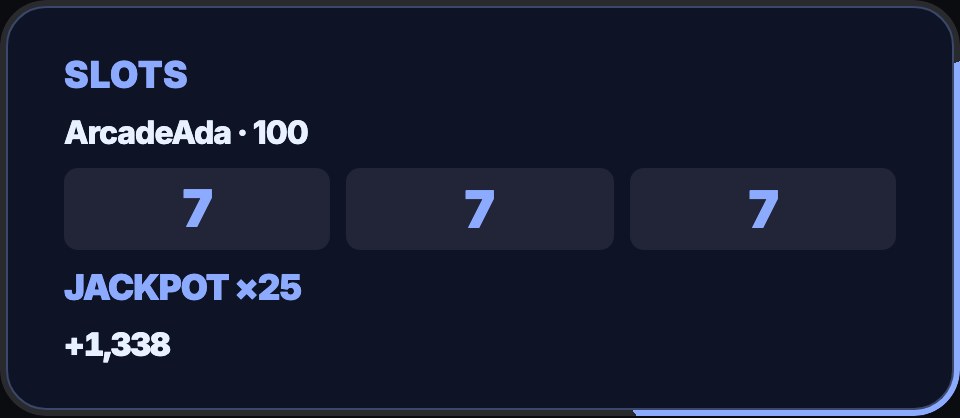
A viewer types !slots 100 to pull the slot machine for 100 points. Three sevens pay 25 times the bet, three bars 10 times, three cherries 5 times, and two cherries in front 2 times; anything else loses. Chat hears 🎰 [ 7 | 7 | 7 ] ArcadeAda wins 2500 points! or 🎰 [ 🔔 | 🍋 | 🍇 ] No luck this time, ArcadeAda.
6. Roulette
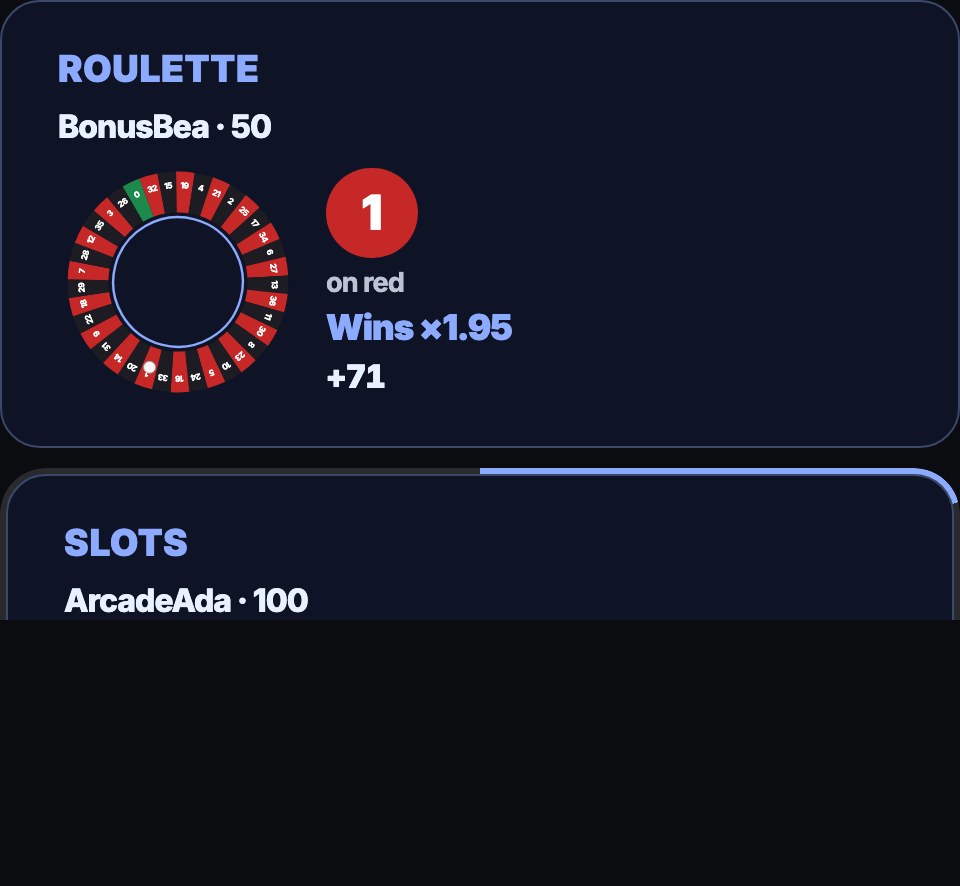
A viewer types !roulette red 50 to bet 50 points on red. They can bet on red, black, odd, even or one number from 0 to 36. The wheel has 37 pockets, and 0 is green, so it loses every red, black, odd and even bet. A colour or odd/even win pays 1.95 times the bet and a number pays 35.15 times, rounded down: 🎡 23 red! BonusBea wins 97 points on red. A bet that is not one of those words gets a usage reply, and no points are taken.
7. Duels
A duel is two viewers staking the same points, and the winner takes both stakes.
- A viewer types
!duel @someone 200. Their 200 points are taken, and chat hears @someone, CoinCyd challenges you to a duel for 200 points! Type !accept within 60s. - The viewer who was challenged types
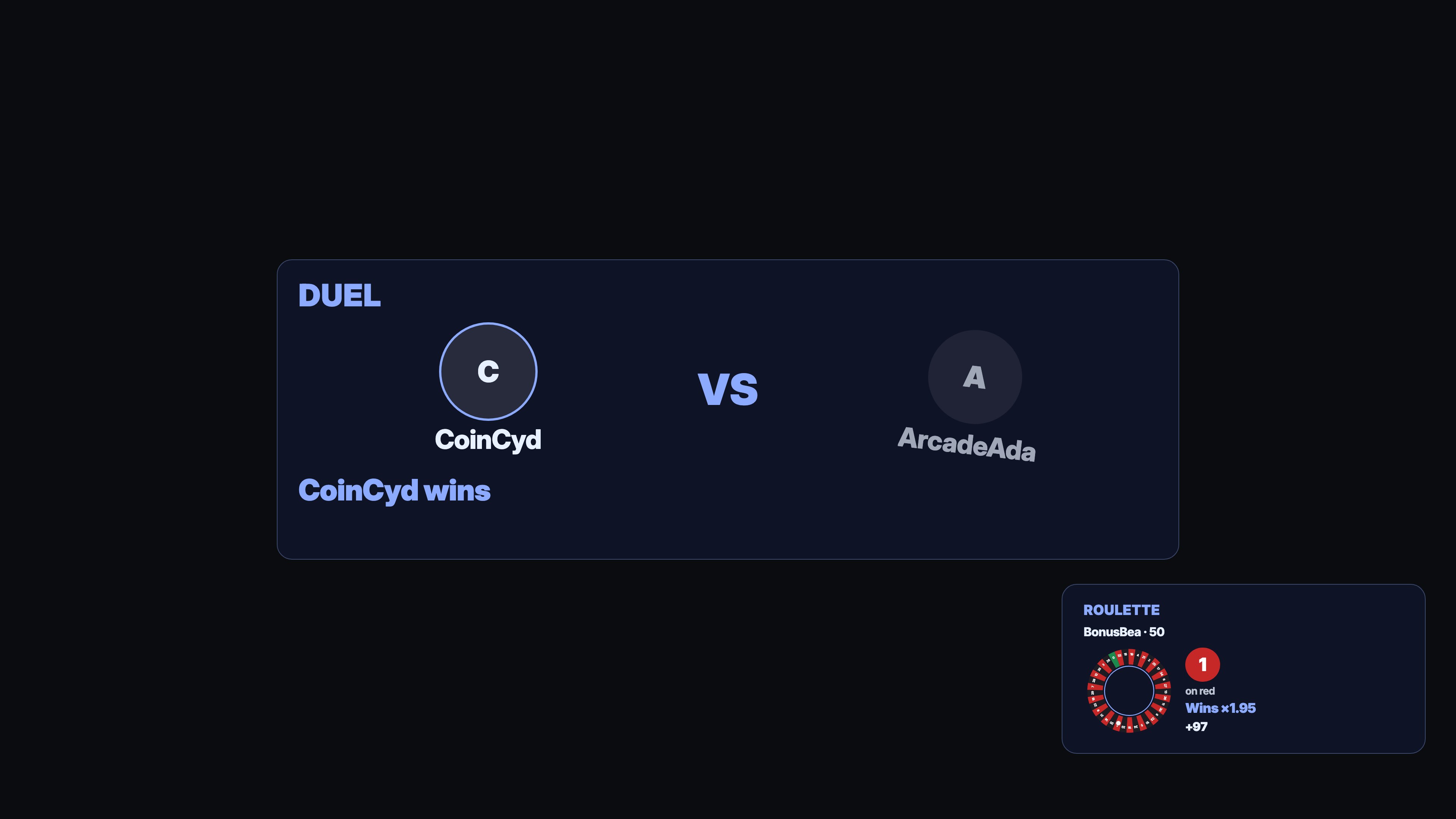
!accept. Their 200 points are taken too, one of the two wins at random, and the winner gets 400. On a Takeover layer the duel plays out: a 3-2-1 count, a clash, and the loser's card falls away. Then chat hears CoinCyd beats ArcadeAda and wins 400 points!
If nobody accepts within a minute, the challenger gets their points back: @CoinCyd, nobody accepted your duel. Your 200 points are back. A viewer can only have one duel at a time, and cannot duel themselves or the bot; they are told so and get their points back. If the challenged viewer does not have enough points to accept, the duel is called off and the challenger's points go back to them.
8. Heists
A heist is a group game: one viewer plans it, others join the crew, and then the whole crew either gets away with the loot or is caught together.
- A viewer types
!heist 100. Their 100 points are taken, and chat hears 💰 ArcadeAda is planning a heist with 100 points! Type !heist join and an amount within 60s to join the crew. A Corner layer shows the heist with its crew and the time left to join. - Others type
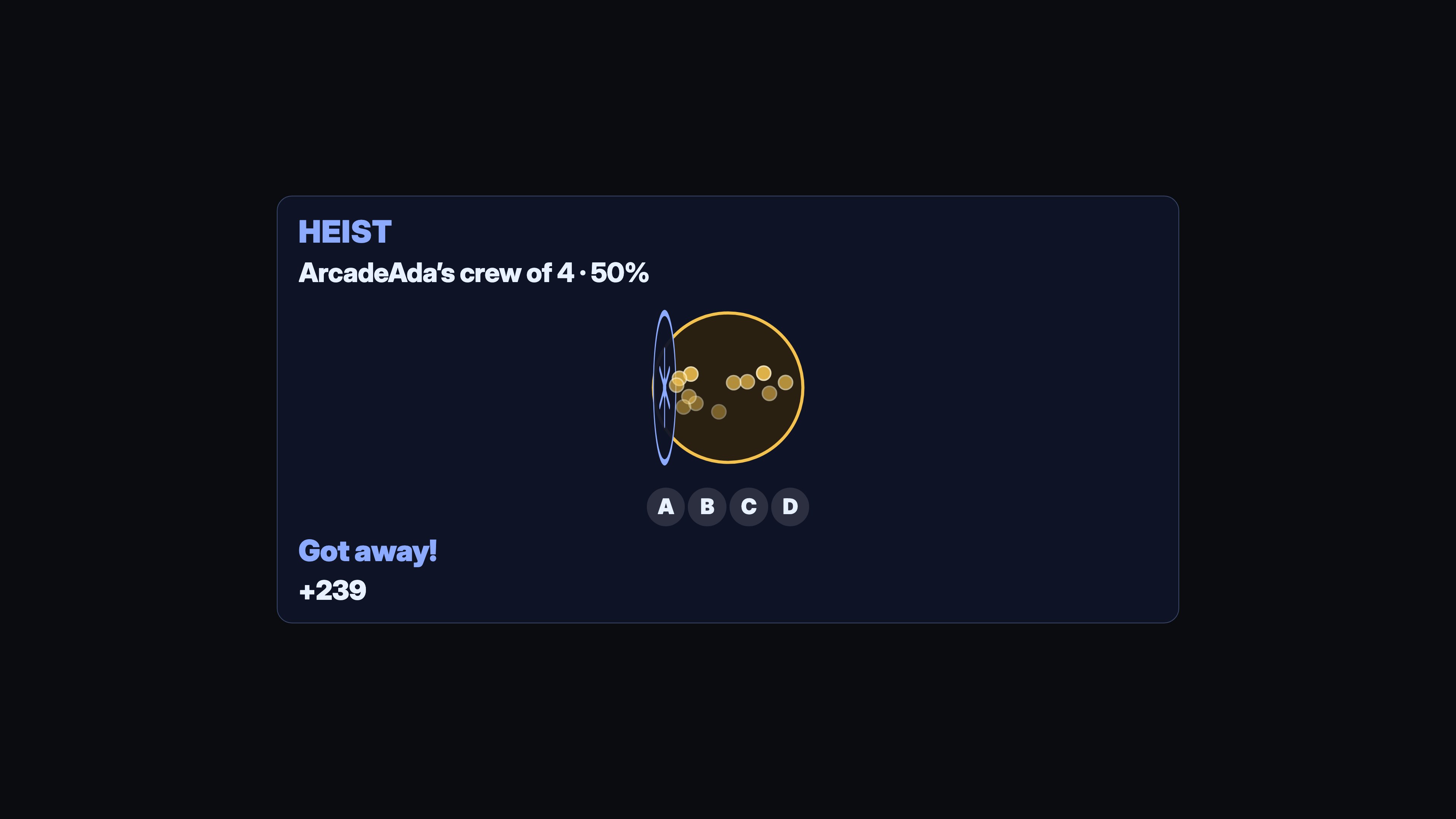
!heist join 50within the minute. Each one's points are taken, and the bot replies You’re in the crew with 50 points. Crew of 3. Up to 50 viewers can be in one crew. - When the minute is up, one roll decides for the whole crew. On a Takeover layer the vault plays out: the crew's faces under the vault door, the door swinging open with coins pouring out, or a searchlight sweeping over the crew. Then chat hears 💰 The crew of 4 got away with 684 points. or 💰 The crew was caught.
A bigger crew gets away more often, but each thief gets less: one thief alone has a 35% chance, each extra thief adds 5%, and a crew of nine or more has 75%. Everyone who got away is paid what they put in, multiplied by 0.95 and divided by the crew's chance. A thief alone who put in 100 gets 271 back; in a crew of nine or more, 126. Either way the house keeps 5 of every 100 points on average. A caught crew keeps nothing.
Only one heist can be planned at a time, and a new one can start two minutes after the last one started: The next heist can start in 45 seconds. A !heist that is turned away does not count, so a viewer without the points never holds anyone else up. A viewer is told why when they cannot start or join: they do not have the points, a heist is already under way or not due yet, there is no heist to join, they are already in the crew, or the crew is full. No points are taken when that happens.
9. Bets
A bet lets chat back one of two outcomes, say whether you win the next round, and the winners share everything that was bet. The house keeps nothing.
- A moderator types
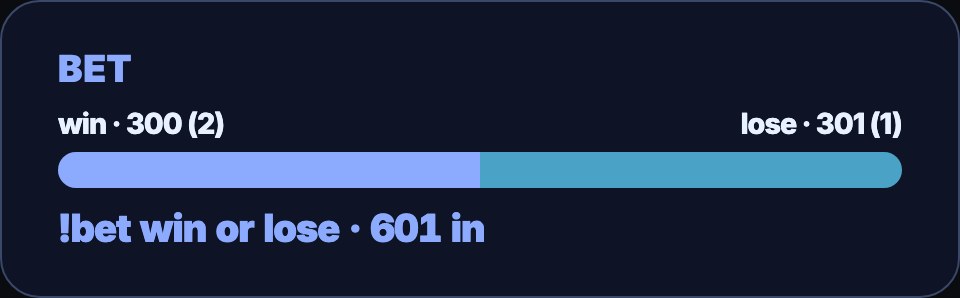
!bets open win lose. Chat hears 🎲 Bets are open: win or lose? Type !bet win or !bet lose and an amount. A Corner layer shows the two options on a live odds bar. - Viewers type
!bet win 200or!bet lose 100. Each one's points are taken, and the bot replies You bet 200 points on win. The pool is 600 points. The odds bar moves to show how the pool is split. Each viewer can bet once on a bet, and up to 50 viewers can bet. - When the outcome is about to be known, the moderator types
!bets close. No more bets are taken, the odds bar shows a lock, and chat hears 🔒 Bets are closed: 600 points on the table. - When the outcome is known, the moderator types
!bets win win. A word that is not one of the two settles nothing, and the moderator is told the two options. Everyone who backed win shares the whole pool in proportion to what they bet, the winning side glows once on the odds bar, and chat hears 🏆 win wins! 2 winners share 600 points.
If nobody backed the winning option, or everyone backed the same side, nobody can win anything from anyone: every bet is given back, and chat says so. A bet stays open until a moderator settles it, even with betting closed; a bet nobody settles within 12 hours is ended and every bet given back.
Only moderators and you can open, close and settle a bet; the same commands from anyone else are ignored. Only one bet can run at a time. A viewer is told why when their bet is not taken: they do not have the points, no bet is open, the option is not one of the two, they have already bet, or 50 bets are already in.
10. Change the limits and the house edge
Open a game flow on the Flows page to change its rules.
- The most a viewer may bet. The Check a value step that says is at most 1000 is the limit. Change 1000. A bet above it gets a usage reply and takes no points.
- How often a viewer may play. The Cooldown step allows one game every 30 seconds per viewer.
- How often a heist can start. Start a heist has Time between heists, two minutes unless you change it: the least time from one heist starting to the next. Set 0 to let a new heist start as soon as the last is over.
- How long a heist takes joins. Start a heist has Time to join, a minute unless you change it. Change the Wait after it to the same time.
- The house edge. Pull the slots, Spin roulette and Resolve the heist each have a House edge (%), 5 unless you change it. It is how much of every bet the game keeps on average: at 5, a viewer who plays 100 points over and over gets 95 back on average, and some viewers win big while most lose a little. At 0 the game is fair and gives back what it takes on average. You can set it from 0 to 20. Slots keep their payouts and make the winning lines rarer; roulette keeps its pockets and pays a little less on a win; a heist keeps its chances and pays a little less to a crew that gets away.
- A heist's chances. Resolve the heist has Chance alone (%), Per thief (%) and Best chance (%): 35, 5 and 75 unless you change them. Whatever you set, the house edge stays what it says.
Duels and bets keep no edge: every point staked goes to the winners.
11. Make the games your own
- Quieter heists and bets. Every successful
!heist joinand!betgets a reply. To stop them, open the Join a heist (!heist join) or Place a bet (!bet) flow and delete the Chat message step after Join the heist or Place a bet. Refusals still get their reply. - A slot pull as a channel point reward. Duplicate the Slots flow, replace its command trigger with On a reward redeemed, and type a fixed number such as 50 into Read a number instead of
$(1).
The steps in the node library, under Minigames:
- Pull the slots and Spin roulette turn a random roll into a result and show it. They hand on the result, whether it won, and the payout to add to the viewer's points.
- Challenge to a duel opens a duel; Accept a duel takes it up, once; Finish a duel names the winner and shows the fight.
- End an unplayed round ends a duel nobody accepted and says whose points to give back; Cancel a round calls one off.
- Start a heist, Join the heist and Resolve the heist run a heist: the first two take the viewer's points and give them a place in the crew in one go, and the resolve pays everyone who got away. They hand on why a viewer was turned away, and what each thief was paid.
- Open a bet, Place a bet, Close betting and Settle a bet run a bet: placing one takes the points with the bet, and settling pays the winners, or gives every bet back.
- Wait for the game holds the result line until a Corner or Takeover animation has finished.
- Play a game sound plays a sound from your media library now on every open Minigames layer (Sounds).
Slots, roulette and duels take points only through Spend points and pay them only through Set a variable, so those flows show where a viewer's points went. Heists and bets take and pay points in their own steps, so a crew or a bet of 50 is never paid only in part.
Troubleshooting
The game plays in chat, but nothing shows on stream. Check that the overlay with a Minigames layer is open in OBS and published, that the layer's Games include that game, and that the game's Show as matches the layer: a Corner game needs a layer set to Corner, a Takeover game one set to Takeover.
The games make no sound in OBS. Open the Browser Source's properties and tick Control audio via OBS, then check the source is not muted in OBS's audio mixer. Check the layer's Sounds: a layer added before sounds arrived needs Turn on game sounds, and a moment set to Off is silent. Press Publish after a change.
The sounds play in a browser tab but not straight away. A browser tab stays silent until you click somewhere on the page. OBS plays them without a click.
Every sound plays twice. The overlay is open in two places at once, such as two scenes that each have their own Browser Source for it. Use one Browser Source and add it to both scenes as an existing source.
A viewer is told they do not have enough points. They have fewer points than they bet; the reply says how many they have. Nothing is taken. Loyalty points must also be on for your channel.
The game finished, but the chat line came a moment later. That is on purpose: chat waits for the overlay animation to finish before revealing the result.
Chat announced a result without an animation. Check the game's Show as and that the matching Minigames layer is open in OBS. Chat only posts at once; a Takeover no overlay can show also posts at once.
A duel was never answered, and chat said nothing. If the duel's flow was edited or switched off while it waited for !accept, or something went wrong part-way through a duel, the flow cannot finish it. Bloopbot ends any duel still waiting or unfinished five minutes after its minute is up, and gives every viewer who staked points their points back. Nothing is said in chat when that happens.
A heist or a bet ended without a word, and everyone had their points back. A heist whose flow was edited or switched off while its crew waited is ended five minutes after its joining time is up, and a bet nobody settles is ended after 12 hours. Every viewer in it gets their points back, and nothing is said in chat.
A !bets command did nothing. Only moderators and you can open, close and settle a bet; the same commands from anyone else are ignored.
!bets win settled nothing. The reply says why: the word was not one of the bet's two options (wn isn’t one of the options: win or lose. Nothing was settled.), or no bet was running. Type !bets win and one of the two words the bet was opened with.
A result line never came. Editing or switching off a flow while it waits for an animation drops the steps it was waiting to run, so the line that says who won is not sent. The points were already paid out before it waited.
Was this guide helpful?
Thanks. Your answer helps us decide which guides to improve.