Ready-made commands you can open and extend
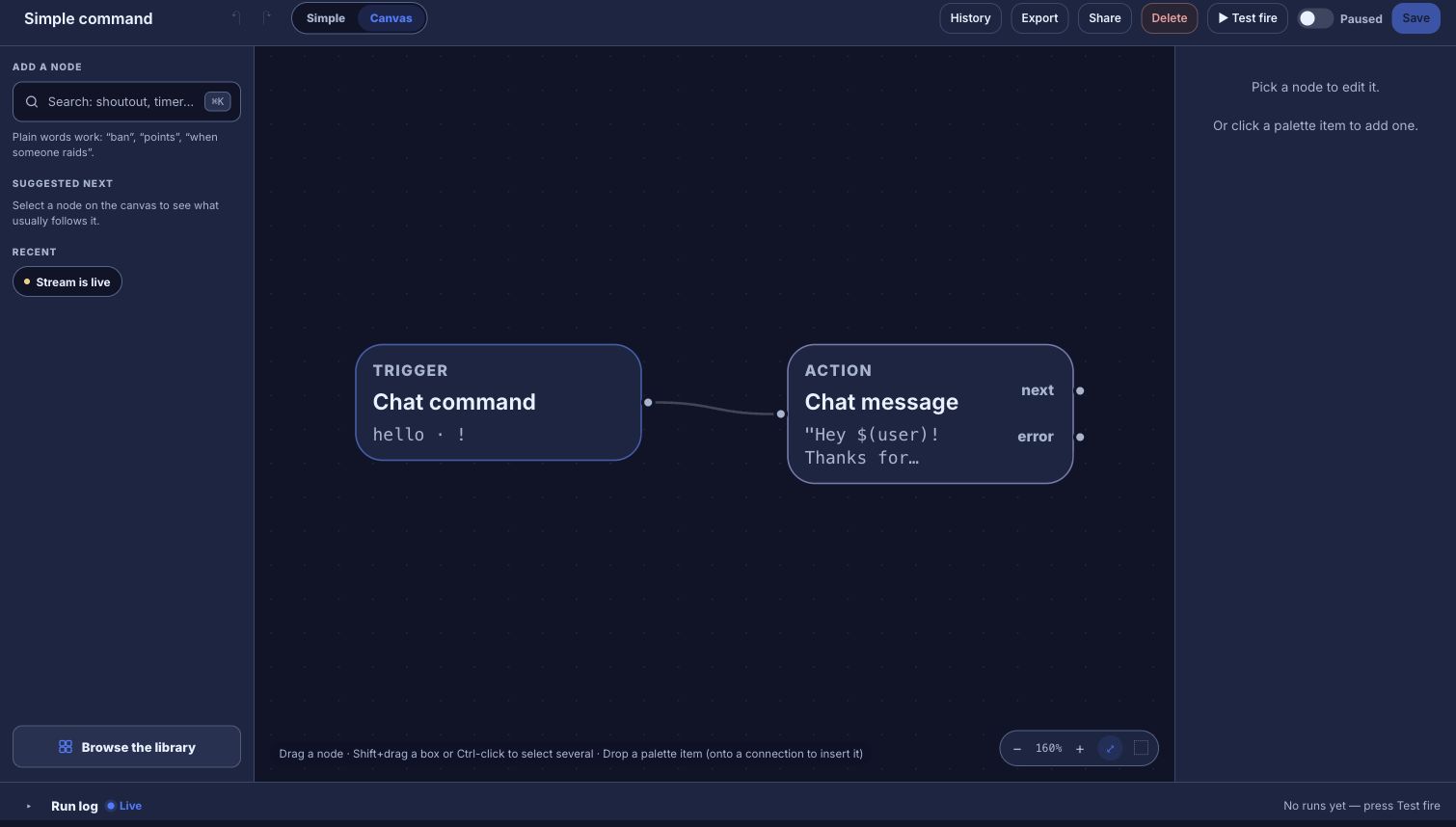
In Moobot you configure each command in a panel. Bloopbot also starts you from ready-made commands, but each one is a flow on a canvas, so you can add a check, a counter or another reply to it.
New channels can’t join yet. Already using Bloopbot? Sign in.

Moobot and Bloopbot compared
Both are cloud chat bots for Twitch, with nothing to download. They differ in how you build a command and in what comes with the bot. Song requests, hosted overlays and Twitch polls may not be available on your channel yet.
| Moobot | Bloopbot | |
|---|---|---|
| Getting started | Nothing to download | Nothing to install: sign in with Twitch, make the bot a moderator and install a ready-made pack |
| Custom commands | Configured in panels | A flow with a Chat command trigger, plus any checks and actions you add |
| Timers | Timers | A flow with an On a timer trigger |
| Spam filters | Spam and comment filters, with subscriber exemptions | Blacklist, links, caps, symbols, emotes and repetition filters on Moderation, each with an Exempt Level |
| Giveaways | Subscriber-only or weighted entries | Keyword entry, tickets that can cost points, and extra luck for subscribers, VIPs and regulars |
| Polls | Polls | Twitch polls and predictions, started or announced from a flow |
| Follows and subs | Notices posted in chat | A chat message, an alert on your overlay, or both, from the New follower and New subscriber triggers |
| Song requests | A song request player | Spotify, through your own Spotify account |
| Price | Free, with paid MoobotPlus tiers | Free plan |
Checked September 2026 against Moobot.
A subscriber perk, as a flow
A !hug command for subscribers and up, once a minute each:
- Chat command (
hug) → Who can trigger (At least: subscriber) → Cooldown (per viewer, 60 seconds) → Chat message reading$(user) sends the whole chat a hug! - Save, then use Test fire to check the path in the Run log before you switch it on.
VIPs, moderators and you pass a subscriber check too. To change who gets the perk later, open the flow and change that one check. The guide takes you from signing in to your first command.
What comes with the bot
- Loyalty points and watch time. Viewers check them with
!points,!watchtimeand!top, and a subscriber multiplier sets what subscribers earn. - Hosted overlays with alerts. Add an overlay to OBS as a Browser Source, then give it follow, sub, cheer and raid alerts, each played by a flow you can open.
- A quote book.
!quotepulls up a numbered quote, and your moderators add new ones from chat. - A giveaway panel on stream, showing the prize, the keyword, the entries and the draw.
There’s no importer for Moobot, so you rebuild the commands you use as flows. Start from the Starter pack and change the ones that are close.
When Moobot is the better fit
Moobot is very easy to set up, long trusted, and good at rewarding subscribers. If its panels already do everything you need, or you rely on its Discord server integration or game stats, Moobot does that well and there’s no need to switch.
Try one flow on your next stream.
Sign in with Twitch, install the Starter pack and change one step.
New channels can’t join yet. Already using Bloopbot? Sign in.