Commands you can see, step by step
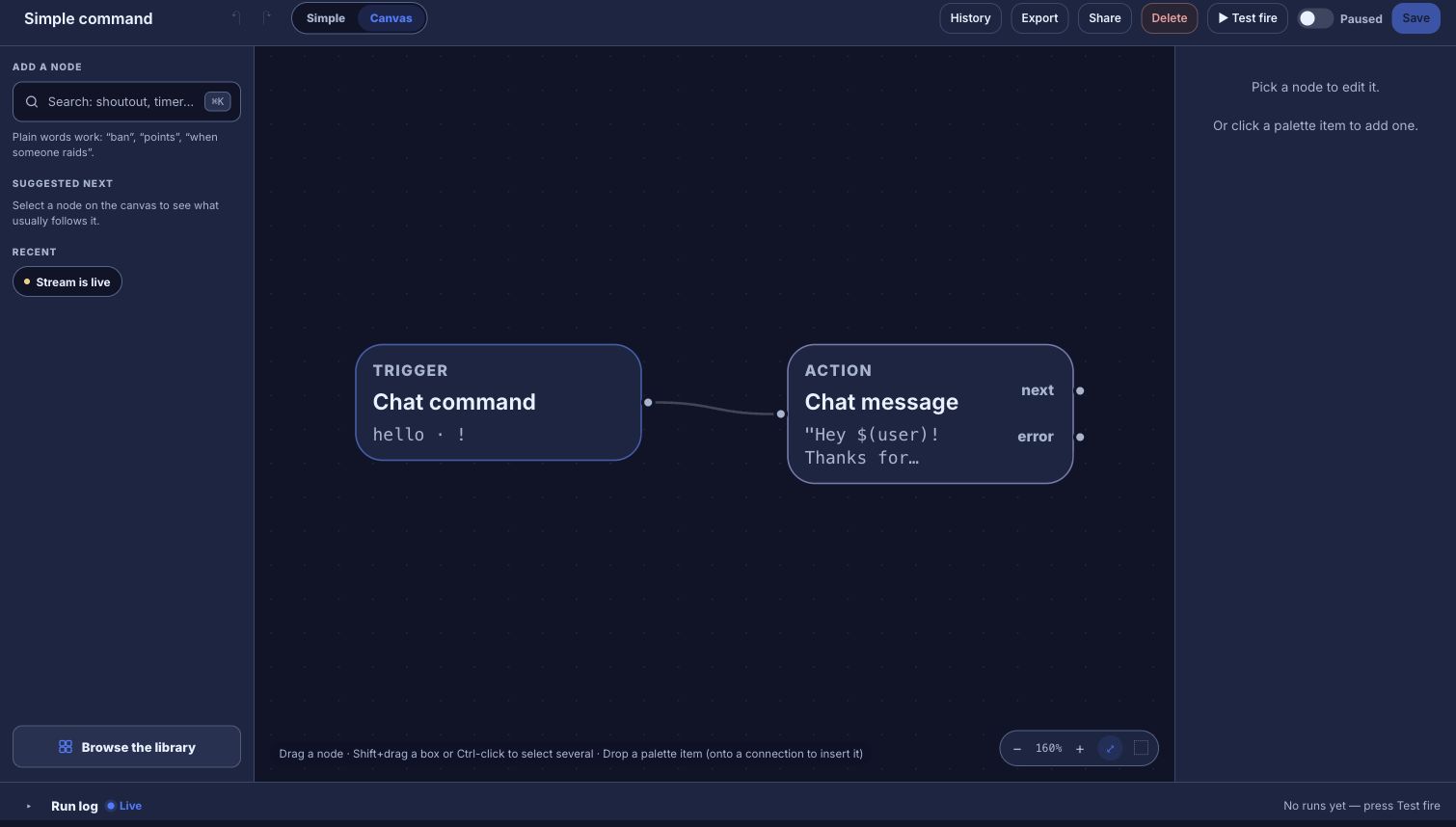
In Fossabot a command is a line of text full of $(variables). In Bloopbot it’s a flow on a canvas, where each step hands its values to the next and you can open any of them to see what it does.
New channels can’t join yet. Already using Bloopbot? Sign in.

Fossabot and Bloopbot compared
Both run in the cloud and are free to start. They differ in how you build a command and in what sits around the chat bot. Song requests, hosted overlays and web requests may not be available on your channel yet. There’s no importer for Fossabot, so you rebuild the commands you use as flows.
| Fossabot | Bloopbot | |
|---|---|---|
| Building commands | Text templates with $(variable) tokens | Flows of triggers, checks and actions on a canvas |
| Your own backend | $(customapi) | A Web request step, or a flow started from its own URL |
| Timers, keywords, counters, cooldowns | Built in | On a timer and When chat mentions triggers, variables and Cooldown checks |
| Moderation filters | Blocked terms, lookalike detection, emote and message-height filters | Blacklist, links, caps, symbols, emotes and repetition filters; the blacklist and link filter see through look-alike letters; no message-height filter |
| Nukes | Yes | !nuke, with the Nukes page |
| Team access | Mod teams with role-based access and audit logs | Editors with their own sign-in, and an Audit Log; no roles within editors; editors may not be included on your plan |
| Media requests | YouTube and SoundCloud | Spotify, through your own Spotify account |
| Loyalty points | None found | Points and watch time |
| Giveaways | None found | Keyword entry, a draw and a panel on stream |
| Alerts and overlays | None found | Hosted overlays with alert layers |
| Platforms | Twitch, YouTube and Kick | Twitch |
Checked September 2026 against Fossabot.
The same command, as a flow
A !discord command anyone can use, with a moderator-only !setdiscord that changes the link:
- On Variables, declare a text variable
discord_urlholding your invite link. - Chat command (
discord) → Chat message readingJoin us: $(var.discord_url). - Chat command (
setdiscord) → Who can trigger (moderator) → Set a variable (discord_url, set to$(query)) → Chat message readingDiscord link updated.
Every step is on the canvas, so a mod reading the flow later can see who’s allowed to change the link and what the bot says back. The guide maps the rest of Fossabot onto flows, including its moderation.
When Fossabot is the better fit
Fossabot’s moderation filters are deep, free and trusted by large channels, with a message-height filter and role-based mod teams Bloopbot doesn’t have. If moderation is what you need most, or you stream on YouTube or Kick, Fossabot does that well.
Try one flow on your next stream.
Sign in with Twitch, install the Starter pack and change one step.
New channels can’t join yet. Already using Bloopbot? Sign in.