
Before you start
Bloopstream is cloud broadcasting for IRL streams, powered by Bloopbot's overlays and flows. Cloud streaming is being built and is not open for purchase yet. Prices and included hours have not been announced.
You can prepare your Bloopbot show now. The setup on Bloopstream does not connect your camera, buy access or start a real broadcast.
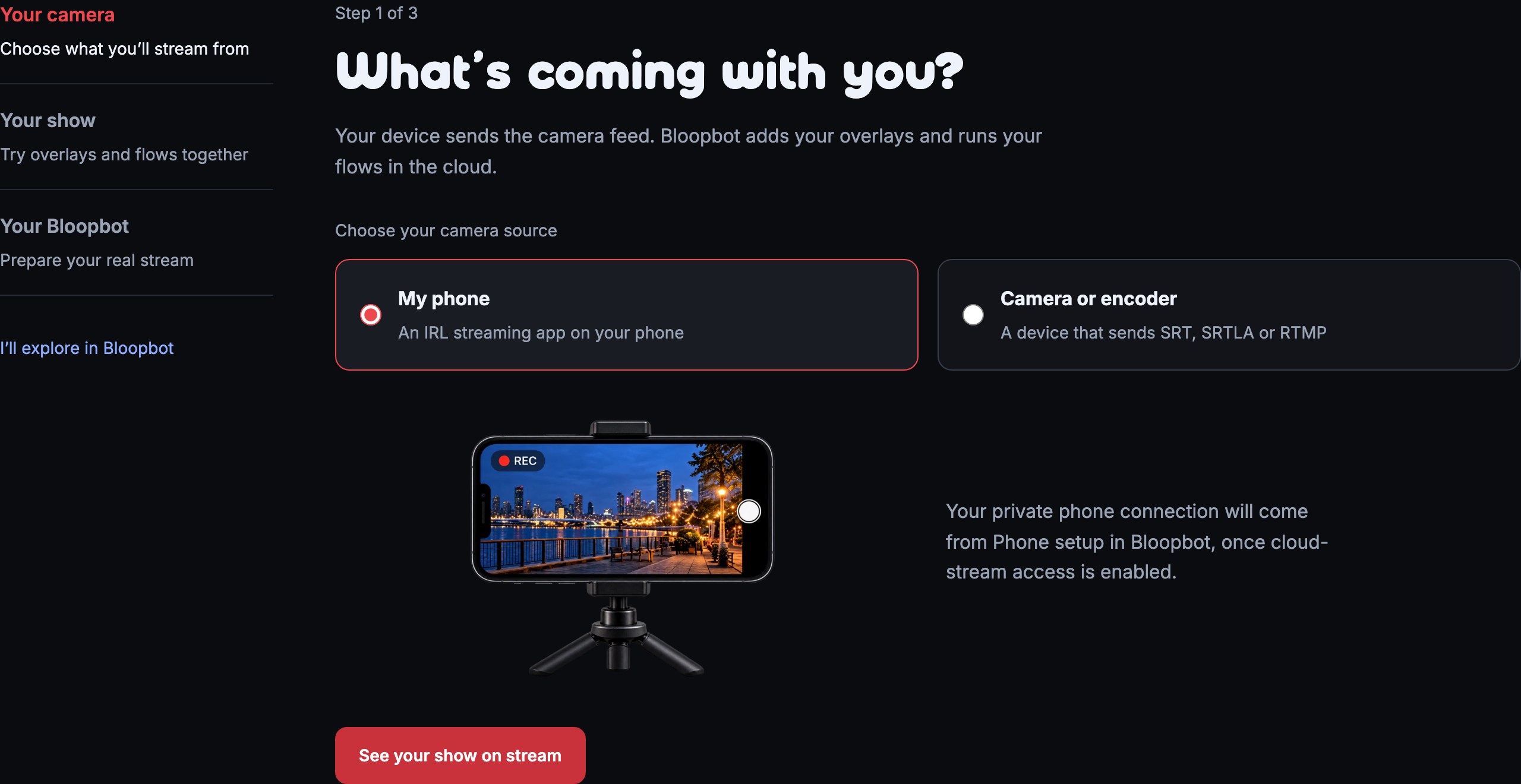
1. Choose your camera
Open Bloopstream setup. Under Your camera, choose My phone or Camera or encoder. The camera sends your video; Bloopbot adds your overlays and runs your flows in the cloud.
Press See your show on stream to continue. This choice changes the setup explanation. It does not configure your device.
2. See what the flow does
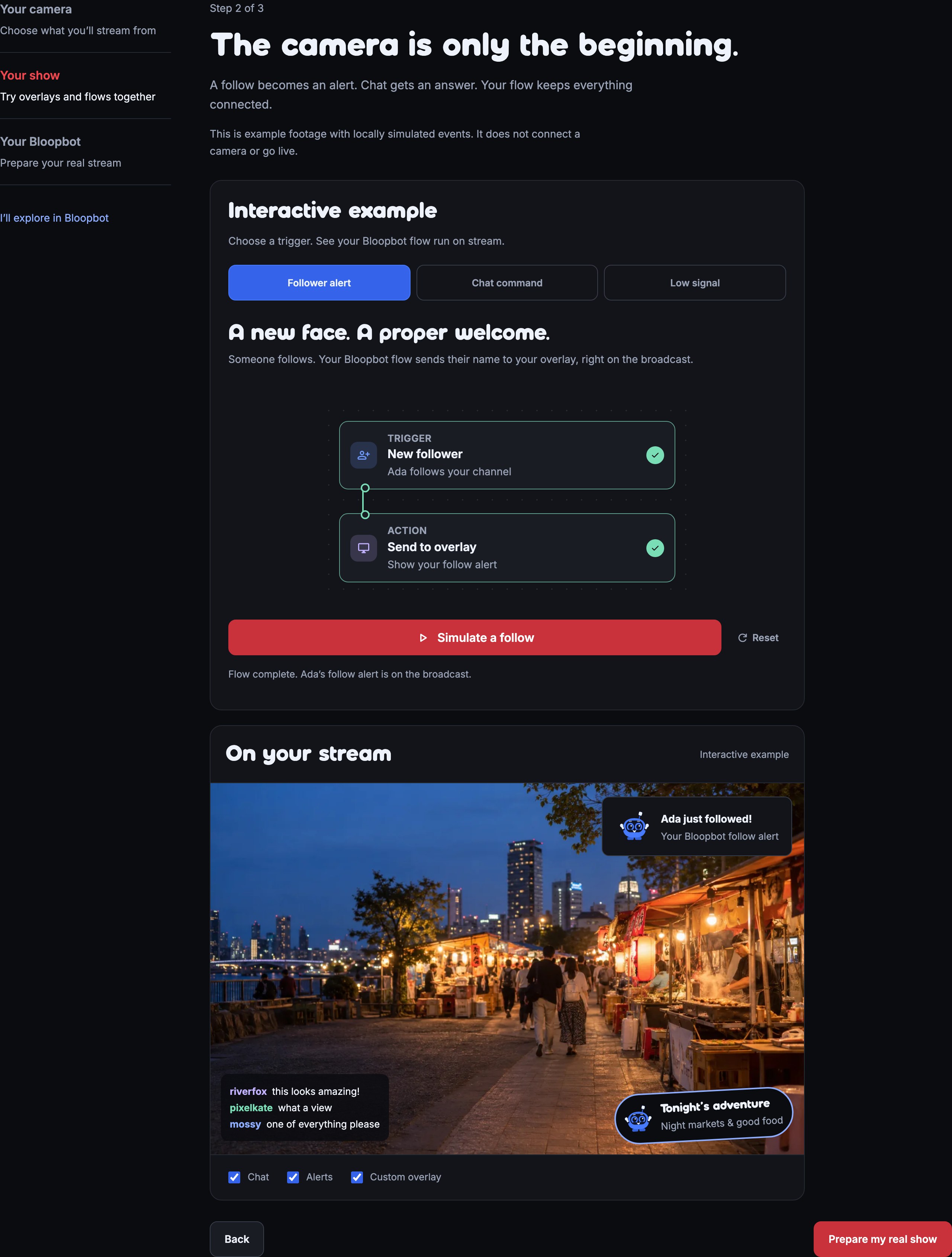
Under Your show, press Simulate a follow. The New follower trigger runs first, then Send to overlay. Completion ticks show which steps ran, and the sample broadcast shows Ada's follow alert.
Choose Chat command and press Send !hello to see a reply in the sample chat. Choose Low signal to try the fallback and recovery. The Chat, Alerts and Custom overlay switches let you see each layer's place in the broadcast.
The footage and events are examples. They do not change your channel or go live. Press Prepare my real show when you are ready to continue.
3. Prepare the real show in Bloopbot
Press Sign in with Twitch to open Bloopbot's existing sign-in. If you already use Bloopbot, press Already use Bloopbot? Open your dashboard.
In Bloopbot, prepare your overlay and make your first flow. Pebble's Your first overlay and Your first flow tutorials are in Tutorials.
When your channel has cloud-stream access, open Run → Cloud stream in Bloopbot. Phone setup supplies your private camera connection. Keep that address private: copying it into your own streaming device happens inside your channel's setup, not on the public website.
Connecting the camera and going live use your channel's settings and permissions. If cloud-stream access is not enabled, prepare the overlays and flows first and return when it is available.
Explore on your own
At any step, I'll explore in Bloopbot opens the dashboard. Back returns to the previous setup step. Leaving or reloading the public setup starts it again; no account settings or stream configuration are saved by these pages.
Was this guide helpful?
Thanks. Your answer helps us decide which guides to improve.